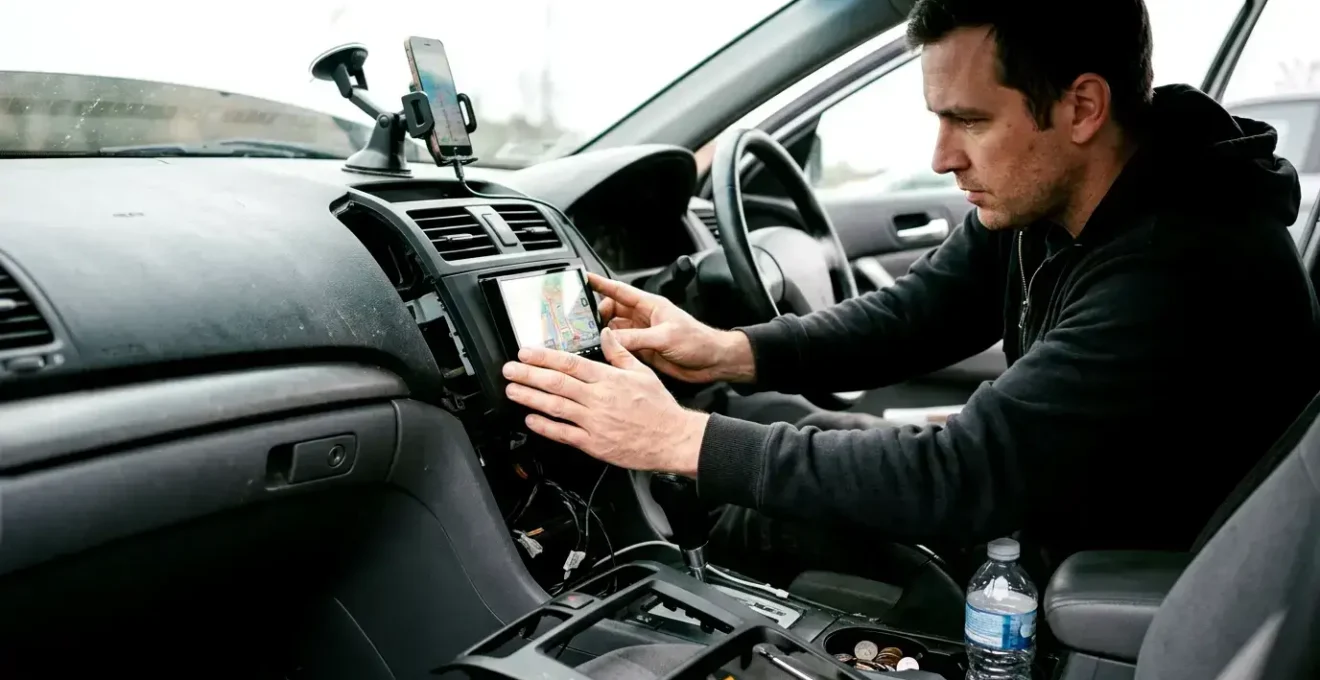
A modern car radio is worth upgrading when it delivers a noticeable improvement in sound quality, smartphone connectivity and everyday usability without sacrificing essential vehicle functions. A larger touchscreen or additional features alone do not guarantee a better driving experience. The replacement must also fit the dashboard, communicate with the vehicle’s electrical systems and support the equipment already installed.
For drivers using an older factory stereo, an aftermarket head unit can introduce Bluetooth streaming, Android Auto, Apple CarPlay, improved audio processing and more intuitive controls. Yet the apparent simplicity of replacing a radio hides several technical considerations. Steering wheel buttons may depend on vehicle-specific interfaces, factory amplifiers may require additional adapters, and charging performance can remain disappointing if the USB connection is unsuitable.
The most effective approach is to evaluate the complete installation rather than the receiver in isolation. That means checking compatibility, identifying which features genuinely improve daily driving and resolving existing audio problems before purchasing components that may not be necessary.
Modern Car Radio Upgrades: The Essentials
- Compatibility comes first: verify dashboard dimensions, factory electronics, wiring interfaces and steering wheel controls before choosing a receiver.
- Prioritize everyday usability: select Bluetooth, Android Auto, Apple CarPlay and audio adjustments according to how the vehicle is actually used.
- Improve the complete system: correct wiring, audio tuning, USB charging and passenger entertainment can matter as much as the head unit itself.
- Why Can an Aftermarket Radio Disable Steering Wheel Controls?
- How to Check Whether a New Car Radio Fits Your Dashboard?
- Bluetooth Audio or Android Auto: Which Is Better for Daily Use?
- The Wiring Mistakes That Can Damage an Aftermarket Car Stereo
- How to Improve Car Audio Clarity Before Changing the Speakers?
- Why Does Your Phone Charge Slowly Through the Car’s USB Socket?
- How to Set Up Rear-Seat Headphones Without Disturbing the Driver?
- How to Choose a Car USB Charger Without Overloading Devices?
Why Can an Aftermarket Radio Disable Steering Wheel Controls?
An aftermarket car radio can disable steering wheel controls because its input system may not understand the signals produced by the vehicle’s original buttons. Some cars use analog resistance signals, while others communicate through digital vehicle networks. A compatible steering wheel control interface translates these inputs into commands the replacement receiver can recognize.
The problem is usually one of communication rather than physical damage. In a vehicle using CAN bus communication, button presses may be interpreted by an electronic module and forwarded as digital messages. An aftermarket receiver expecting conventional analog commands cannot necessarily decode these messages directly.
Other vehicles use dedicated analog control wires or different communication arrangements. Consequently, not every installation needs a CAN bus adapter, and not every adapter converts digital messages into resistive signals. The correct interface depends on the vehicle and receiver.
As explained in PAC‘s SWI-CP2 wiring instructions, a steering wheel control adapter can convert factory button information into commands supported by an aftermarket radio. Its wiring and programming must match the vehicle’s configuration.
Three symptoms help narrow down an integration problem:
- No buttons respond: the interface may be missing, incorrectly connected or unsupported by the receiver.
- Only some buttons work: the adapter may support fewer functions than the original system, or its button assignments may need adjustment.
- Buttons trigger incorrect functions: the module may have the wrong programming, vehicle profile or receiver configuration.
Before buying, confirm that the radio supports an external steering wheel control interface, that the interface supports the exact vehicle year and trim, and that the receiver brand is listed as compatible. Check whether buttons can be reassigned and which original functions are retained.
Steering controls are not the only integration concern. Some vehicles route warning chimes, factory amplifier control, connected services such as OnStar, or other audio functions through the original infotainment system. Retaining these features may require a separate integration module with capabilities beyond steering wheel button translation.
The real price of an upgrade includes these integration components. Once the required electronics are identified, the next question is whether the receiver can physically and functionally fit the dashboard.
How to Check Whether a New Car Radio Fits Your Dashboard?
To check whether a new car radio fits, identify the exact vehicle year and trim, determine the dashboard’s available mounting dimensions and measure the space behind the opening. Then verify the mounting kit, wiring harness, antenna connection and factory electronics. A radio that fits the visible opening may still be electrically incompatible.
Aftermarket receivers commonly follow single-DIN or double-DIN mounting formats. A single-DIN chassis has a nominal front size of approximately 180 × 50 mm, while double-DIN is approximately 180 × 100 mm. These are reference dimensions, not guarantees that a particular dashboard will accept the unit without modification.
Measure the opening’s usable width and height, then check the available depth behind the dashboard. Depth deserves particular attention because structural brackets, ventilation ducts, existing wiring or factory electronic modules can obstruct a replacement receiver. Allow additional clearance for plugs and cable bends rather than relying only on the chassis measurement.
Three separate components determine whether the installation can be completed:
- Dashboard mounting kit: adapts the receiver to the dashboard opening and provides an appropriate trim finish.
- Wiring harness: connects the aftermarket unit to the vehicle’s electrical system, sometimes through an additional interface module.
- Antenna adapter: connects the original aerial cable to the receiver when connector standards differ, such as certain Fakra and conventional antenna connections.
Factory amplifiers, reversing cameras, parking information and climate controls introduce further compatibility requirements. In some vehicles, replacing the original stereo also affects displays or controls integrated into the same dashboard assembly.
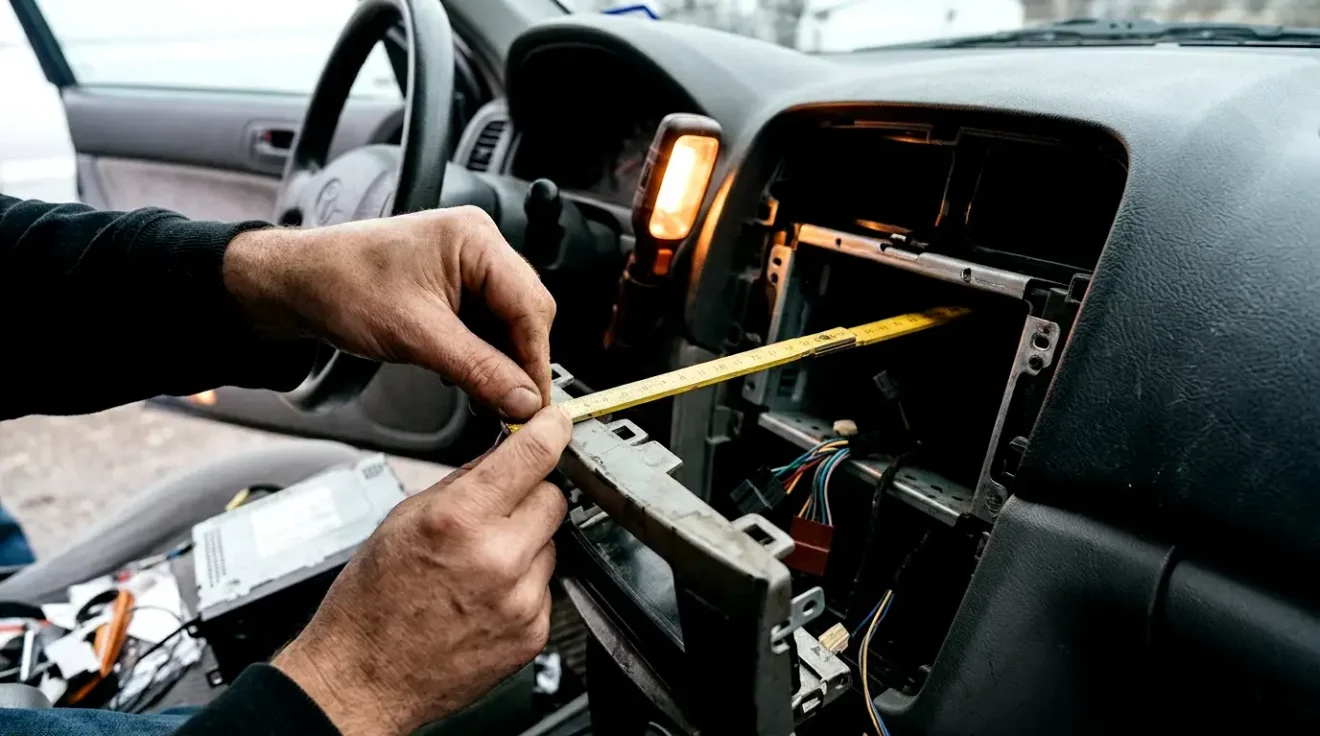
Vehicle-specific installation guidance is especially valuable. Crutchfield’s installation documentation explains that some installations require mounting kits, wiring adapters or modifications behind the dashboard. It also highlights the importance of verifying connections and testing the receiver before final reassembly.
Five Checks to Complete Before Ordering a Replacement Radio
- Identify the vehicle: record its make, model, production year, trim and factory audio package in a compatibility note.
- Measure the installation space: record usable width, height, available depth and any obstructions in millimetres.
- Verify mounting hardware: identify a compatible dashboard kit and confirm its receiver mounting requirements.
- Map electrical connections: prepare a list of required wiring harnesses, antenna adapters and factory integration modules.
- Confirm retained features: create a checklist covering steering controls, amplifier operation, camera functionality, warning sounds and integrated dashboard displays.
Cross-check manufacturer fit guides against documented installations for the same vehicle generation and equipment package. Forum reports can reveal practical clearance problems, but they should not override official compatibility instructions.
Claims of universal compatibility should always be treated as provisional. Once physical fit and vehicle integration are established, smartphone connectivity becomes a more meaningful way to compare receivers.
Bluetooth Audio or Android Auto: Which Is Better for Daily Use?
Bluetooth audio is usually sufficient for drivers who mainly listen to music, podcasts and hands-free calls. Android Auto is more useful when navigation, messaging and compatible smartphone applications need to appear on the dashboard display. The better choice depends on daily driving habits, phone compatibility and whether a wired or wireless connection is preferred.
Bluetooth streaming typically uses the receiver as a wireless audio endpoint. The smartphone manages playback, while the radio provides listening controls and, when supported, hands-free calling. This arrangement is relatively straightforward and does not require a complex dashboard interface.
Android Auto adds a phone-based interface to a compatible vehicle display. It supports navigation, communication and selected applications through an interface designed for use while driving. Its available features and app restrictions are part of the platform’s approach to limiting complex interactions on the road.
The main differences become clearer when considered alongside actual driving situations.
| Criterion | Bluetooth Audio | Android Auto |
|---|---|---|
| Music and podcasts | Wireless audio playback with basic controls | Playback through supported apps on the vehicle display |
| Navigation | Usually remains on the phone | Compatible navigation apps appear on the receiver screen |
| Calls and messages | Hands-free calls and potentially limited message functions | Calls and supported messaging functions through the projected interface |
| Connection requirements | Compatible Bluetooth profiles | Compatible phone, receiver and wired or wireless connection |
| Screen flexibility | Receiver interface generally remains available | Supported apps and interactions are restricted by the platform |
| Typical advantage | Simple audio connectivity | Integrated navigation and communication |
Wireless Android Auto has additional requirements. The phone and receiver must both support wireless projection, and the phone needs compatible 5 GHz Wi-Fi hardware. Bluetooth may assist with connection establishment, but Bluetooth audio support alone does not mean the receiver can run wireless Android Auto.
Google specifies the relevant phone, connection and geographic requirements in Google’s Android Auto compatibility requirements. The supported operating system, equipment and market should be checked before purchase.
Wired connectivity is worth considering when choosing a budget receiver. A suitable USB connection can provide phone projection while charging the device, although the available charging power may be limited. Wireless projection avoids a cable connection but can increase phone power consumption and depends on stable wireless communication.
Android Auto also does not provide unlimited access to the phone’s apps. Unsupported applications cannot simply be displayed through its interface. Bluetooth may be sufficient for drivers who prefer familiar receiver controls and do not need navigation on the dashboard.
For households using both Android phones and iPhones, look for explicit support for both Android Auto and Apple CarPlay. Neither platform’s availability guarantees support for the other, and some receivers offer wired operation for one platform but wireless operation for another.
Once the appropriate connection system is selected, installation quality becomes the next priority. Even a compatible receiver can perform poorly or suffer electrical damage if its wiring is incorrect.
The Wiring Mistakes That Can Damage an Aftermarket Car Stereo
The most damaging aftermarket stereo wiring mistakes involve incorrect power connections, inadequate grounding, speaker output mismatches and poorly protected circuits. These faults can cause blown fuses, damaged electronics, overheating or unexpected battery drain. Installation should follow vehicle-specific wiring documentation, with electrical measurements used to verify uncertain connections before the receiver is powered.
A particularly common mistake is assuming that wire colours match across vehicles and receivers. Aftermarket harnesses often follow recognizable conventions, but factory wiring colours differ by manufacturer, production year and audio configuration. Some conductors that appear to carry conventional audio or accessory signals may connect to electronic control modules.
Four electrical faults deserve special attention:
- Incorrect power connections: confusing permanent battery power with ignition-switched power can cause memory loss or prevent proper shutdown. More serious incorrect connections may expose circuits to voltage or polarity conditions they were not designed to tolerate.
- Incorrect amplifier control: a missing factory amplifier turn-on signal can produce silence, while an incorrectly supplied control signal can contribute to unwanted amplifier operation.
- Poor grounding: connections through paint, corrosion or unsuitable conductors can create voltage drops, intermittent operation or electrical noise.
- Incompatible speaker wiring: connecting receiver speaker outputs directly to an unsuitable factory amplifier circuit, combining bridged outputs or using an unsupported speaker impedance can overload output stages.
Speaker outputs from a bridged amplifier must not be treated as ordinary chassis-ground-referenced wiring. Similarly, the output of a factory amplifier is not interchangeable with its input. The correct signal path depends on the original audio architecture.
Use the vehicle’s electrical documentation and the receiver’s installation instructions to identify every connection. A multimeter can verify suitable power and ground points, but resistance or continuity measurements must not be performed on energized circuits. Sensitive electronic modules and data lines may require specialized diagnostic procedures rather than direct probing.

Fuses provide essential protection against excessive current, but they must match the equipment and circuit they protect. Check the receiver’s specified fuse rating, any inline fuse and the vehicle’s original circuit protection. Replacing a repeatedly blowing fuse with a higher-rated version can remove the intended protection and expose wiring to dangerous overheating.
Disconnect the negative battery terminal before beginning work when permitted by the vehicle manufacturer’s procedure. Some vehicles require precautions to preserve electronic settings or protect sensitive systems. Avoid modifying airbag wiring, safety-critical harnesses or unidentified data circuits.
A proper post-installation inspection should confirm that the receiver switches on and off correctly, retains its settings, operates every speaker and produces no unexpected noise. Check audio output with the engine off and running, listening for changes related to engine speed.
Where battery drain is suspected, a qualified technician can measure parasitic current after the vehicle’s electronic systems have entered their normal sleep state. Intermittent shutdowns or an amplifier remaining powered after the ignition is switched off are also reasons to review the installation.
Secure, correctly protected wiring makes further audio improvements worthwhile. With electrical faults eliminated, the remaining challenge is determining whether disappointing sound comes from the receiver’s settings, the cabin or the speakers themselves.
How to Improve Car Audio Clarity Before Changing the Speakers?
Car audio clarity can often be improved without replacing speakers by correcting source quality, equalizer settings, crossover frequencies and speaker timing. Door vibration, poor mounting and incorrect wiring can also reduce detail. Diagnose these factors before buying speakers, because a replacement driver cannot compensate for every weakness elsewhere in the audio system.
Start with the audio source. Low-quality recordings, aggressive compression or an incorrectly configured streaming application can make an otherwise competent system sound dull or harsh. Compare a familiar, well-mastered recording across available sources at a similar listening level.
Next, return the receiver’s audio processing to a neutral baseline. Disable exaggerated bass enhancement, excessive loudness compensation and unfamiliar sound presets. This reveals the system’s underlying balance before further adjustments are made.
Several settings can produce meaningful improvements:
- High-pass filtering: reduces deep bass reaching smaller door or dashboard speakers, helping prevent excessive cone movement and distortion.
- Subwoofer crossover: directs low frequencies toward the subwoofer while avoiding excessive overlap with the main speakers.
- Time alignment: adjusts channel delays to account for different speaker distances from the listening position.
- Equalization: corrects tonal imbalances without unnecessarily boosting frequencies that may already be distorted.
Crossover settings must match the actual speakers and their operating limits. An excessively high high-pass setting can remove useful midbass, while an unsuitable low-pass setting can make the subwoofer audibly directional. Speaker and amplifier specifications provide more reliable starting points than arbitrary universal settings.
Cabin acoustics matter just as much. Thin door panels can resonate, loose trim can rattle, and poorly sealed speaker mounting surfaces can reduce bass definition. Carefully fitted damping material or appropriate speaker mounting baffles may help, provided that drainage paths, window mechanisms and safety equipment remain unobstructed.
Factory tweeter positioning also influences perceived clarity. A tweeter aimed toward reflective glass or positioned awkwardly relative to the listener can emphasize certain frequencies. EQ adjustments may help, but they cannot fully correct every placement problem.
A simple listening test can distinguish different causes. Use a familiar recording and, at a moderate volume, a suitable test-tone or frequency-sweep application. Avoid prolonged high-level test tones that could damage equipment or hearing.
- Distortion mainly at high volume suggests an amplifier, speaker or gain-related limitation.
- Muddy vocals or excessive upper bass suggest reviewing EQ and crossover overlap.
- Harsh treble suggests examining equalization, tweeter behavior and reflections.
- Rattles at particular bass notes suggest loose trim, mounting problems or resonant panels.
Change one setting at a time and compare it with the previous result at similar volume. If clarity remains poor after source, processing, mounting and wiring checks, speaker replacement becomes a more defensible investment.
A well-configured existing speaker system can outperform a poorly tuned replacement. Once sound is satisfactory, attention can turn to another practical limitation of modern receivers: keeping connected phones powered throughout a journey.
Why Does Your Phone Charge Slowly Through the Car’s USB Socket?
A phone often charges slowly through a car’s USB socket because the port was designed primarily for data connectivity rather than high-power charging. Charging speed depends on the port’s available power, the cable, the phone’s charging capabilities and supported protocols. A better cable helps only when the original connection is itself a limiting factor.
Older factory USB ports may provide power comparable to conventional USB data connections. These ports can support music playback or smartphone integration while delivering substantially less charging power than a dedicated modern charger.
The connector’s appearance does not establish its capabilities. A USB-A or USB-C socket may support different power arrangements depending on its internal electronics, and an aftermarket receiver’s USB port may have a different rating from the vehicle’s original socket.
Fast charging requires compatible communication between the power source and the receiving device. USB Power Delivery, USB Type-C current advertisement and certain proprietary charging systems use different mechanisms to establish how much power may be supplied.
The USB-IF‘s USB Type-C functional test specification distinguishes these charging mechanisms and describes requirements for advertised current and negotiated power contracts. A cable with a high power rating cannot force a low-power socket to deliver more electricity.
To isolate the source of slow charging, use a controlled comparison:
- Connect the same phone and cable to a compatible wall charger and observe whether normal fast charging occurs.
- Test the same combination on the vehicle’s USB socket under comparable conditions.
- Try a known-good cable with suitable charging and data capabilities.
- Compare a second vehicle port or a dedicated automotive charger if available.
- Use a suitable USB power meter when practical to inspect the supplied voltage and current without interfering with the connection.
Phone temperature, battery charge level and background activity can affect the result. A phone close to full charge may deliberately reduce charging power, while navigation, high screen brightness and wireless communication can increase consumption.
Data transmission does not inherently require a USB port to reduce charging current. However, some media or smartphone-projection ports offer only limited charging power. During navigation, the phone may therefore consume energy almost as quickly as the port supplies it.
For long journeys, consider whether the required phone projection needs that particular data connection. A compatible dedicated charger may deliver more power, but it cannot replace the USB data path when wired Android Auto requires a connection to the receiver.
Charging reliability contributes to everyday usability, but passenger comfort matters too. A flexible infotainment setup should also allow rear-seat occupants to enjoy their own audio without interfering with the driver’s environment.
How to Set Up Rear-Seat Headphones Without Disturbing the Driver?
Rear-seat headphones can operate independently of the front speakers when passengers have a separate audio source or the vehicle’s entertainment system supports independent audio zones. Infrared headphones, Bluetooth connections and wired outputs are possible solutions. The essential requirement is separate audio routing, not simply connecting headphones to the car radio.
Some factory entertainment systems provide infrared wireless headphone support, typically through an overhead or rear-seat display system. These headphones must be compatible with the installed transmitter and its channel arrangement. Ordinary Bluetooth headphones generally cannot connect directly to an infrared system.
Bluetooth introduces a different limitation. Many receivers support Bluetooth audio input from a phone but do not function as Bluetooth transmitters for headphones. Even receivers capable of audio transmission may not support multiple simultaneous listening devices.
Wired installations can use compatible rear headphone connections or dedicated entertainment-system outputs. RCA line outputs are another possibility, but they generally require an appropriate headphone amplifier rather than a passive connection directly to headphones.
It is useful to distinguish the available arrangements:
| Connection | Requirements | Main Limitation |
|---|---|---|
| Infrared headphones | Compatible IR transmitter and receiver | Requires system compatibility and suitable reception |
| Bluetooth headphones | Bluetooth audio transmitter or independent source | The car radio may not support headphone transmission |
| Wired headphones | Dedicated headphone output or suitable amplifier | Cable routing and physical movement |
| Independent tablet or phone | Personal device with compatible headphones | Separate device charging and content management |
Independent audio zones are particularly important when the driver needs navigation prompts, calls or a quiet cabin while rear passengers listen to entertainment. A receiver’s ordinary front/rear fader is not equivalent to independent source selection.
If the head unit lacks rear-zone control, headphones connected to an available output may simply reproduce the same audio as the front speakers. Certain systems can route separate content to rear outputs, but this must be established from the manufacturer’s documentation.
A practical alternative is to let passengers use a tablet or smartphone with its own headphones. This avoids relying on the receiver’s output architecture and allows different entertainment sources without changing the driver’s audio settings.
Where a rear auxiliary audio output exists, a compatible Bluetooth transmitter may also be considered. Its output type, power requirements, pairing capability and potential audio delay should be checked before installation.
Safety matters when choosing the arrangement. Keep cables away from seat rails, moving seat components, pedals and airbag deployment zones. For children, use appropriate volume limits and encourage listening breaks. Drivers should retain access to necessary vehicle alerts and remain able to communicate with passengers when required.
Independent passenger entertainment often means more connected devices inside the cabin. That makes charger selection and electrical load management relevant to the overall upgrade.
Key Takeaways Before Choosing a Car USB Charger
- Consider the combined charging requirements of the driver and passengers, not just the maximum power advertised for one port.
- Check whether the vehicle’s accessory socket remains energized after the ignition is switched off, especially when devices may stay connected.
- Prioritize compatible charging protocols, clear power ratings and electrical protection over unusually high advertised output figures.
How to Choose a Car USB Charger Without Overloading Devices?
Choose a car USB charger by checking its per-port output, combined power rating, supported charging protocols and compatibility with the vehicle’s accessory socket. Modern phones normally negotiate or regulate the power they accept. The greater concern is exceeding the charger’s capacity, overloading the vehicle circuit or using poorly designed charging equipment.
The first step is to establish which devices will charge simultaneously. A smartphone, rear-seat tablet and other USB-powered accessories may have different charging requirements. The necessary information comes from their manufacturer specifications, rather than assumptions based on connector type.
Add the intended simultaneous charging loads and compare the result with the charger’s published combined output. Then inspect each port’s individual capabilities. A charger may advertise a high maximum output that applies only to one USB-C port when the other ports are unused.
For example, consider a hypothetical setup in which one phone requests 20 W and a tablet requests 30 W. Their combined requested power is 50 W. A charger with a 45 W shared maximum cannot supply both requested levels at the same time, even if one port individually supports 45 W.
This does not necessarily mean the charger will damage either device. A properly designed unit should negotiate or limit its output according to its capabilities. The likely result is reduced charging speed, although actual behavior depends on the charger and connected devices.
USB Power Delivery support is useful for compatible modern phones and tablets, but the label alone is not sufficient. Check the charger’s supported output profiles and the device’s requirements. Proprietary charging features may need specific hardware, and devices can fall back to lower-power charging when an exact match is unavailable.
Multi-port power sharing deserves attention. Some chargers redistribute available power dynamically as devices connect or disconnect. Others reserve a particular output for each port. A clear specification should describe both the maximum individual output and any reductions that apply during simultaneous use.
The vehicle’s electrical system sets another important limit. The accessory socket, its fuse and associated wiring must be suitable for the charger’s input demand and any other loads sharing the same circuit. The manufacturer’s socket rating takes priority over the charger’s advertised USB output.
Remember that output power delivered to connected devices is not identical to electrical input power drawn from the vehicle because conversion involves losses. A charger’s rated maximum USB output therefore cannot be used directly as the vehicle-side circuit load without considering efficiency and operating conditions.
For equipment that operates continuously, such as some dash cameras, also determine whether the socket remains live when the vehicle is parked. Leaving connected electronics powered can discharge the vehicle battery over time, even when the charging hardware itself is functioning correctly.
Look for a charger from a manufacturer that provides identifiable specifications, appropriate regulatory compliance information and protection against overcurrent, overheating, short circuits and abnormal voltage conditions. Verified USB-IF certification, where applicable to the product, is a useful additional indicator of compliance with the relevant USB requirements, although it does not replace vehicle compatibility checks.
Make a final list of the devices that will be used together, confirm the required charging protocols and compare the total demand with both the charger’s specifications and the vehicle’s documented socket limits. A worthwhile radio upgrade is ultimately one that improves sound, connectivity and convenience while preserving reliable operation of the entire vehicle.
Is upgrading a factory car radio always worth it?
No. An upgrade is most worthwhile when the existing system lacks features that materially affect everyday use, such as reliable smartphone integration, hands-free controls or adequate audio adjustments. If the factory system already meets these needs, improving audio tuning, connectivity accessories or speaker mounting may offer a more targeted solution. The cost of maintaining factory features should be included in the decision.
Can an aftermarket stereo work with a factory amplifier?
Yes, provided the amplifier and receiver are connected through a compatible signal path and any necessary integration interface. Some factory amplifiers require specific audio input levels, turn-on signals or data communication. Others operate within proprietary audio systems. Verify the exact vehicle’s amplifier configuration and the receiver’s supported outputs before connecting them.
Does a larger touchscreen automatically make a car stereo easier to use?
No. Screen size is only one part of usability. Interface responsiveness, readable menus, convenient physical controls, screen positioning and reliable voice commands can be more important. A large display that obstructs ventilation controls or requires frequent visual attention may be less practical than a smaller receiver with a well-designed interface.
Can a new car radio improve sound quality without an external amplifier?
Yes, depending on the existing system. A receiver with suitable audio processing, crossover controls and cleaner signal handling can improve perceived clarity without adding an amplifier. However, a head unit cannot overcome severe speaker distortion, poor mounting or insufficient power for demanding listening levels. Diagnose the current limitations before deciding which component to replace.
Should a modern car radio be installed professionally?
Professional installation is advisable when the vehicle has complex factory electronics, an integrated amplifier, safety-related warning functions, proprietary wiring or an unfamiliar data network. A straightforward installation may be manageable for someone with appropriate tools, wiring documentation and electrical knowledge. In either case, all retained vehicle functions should be tested before the dashboard is fully reassembled.