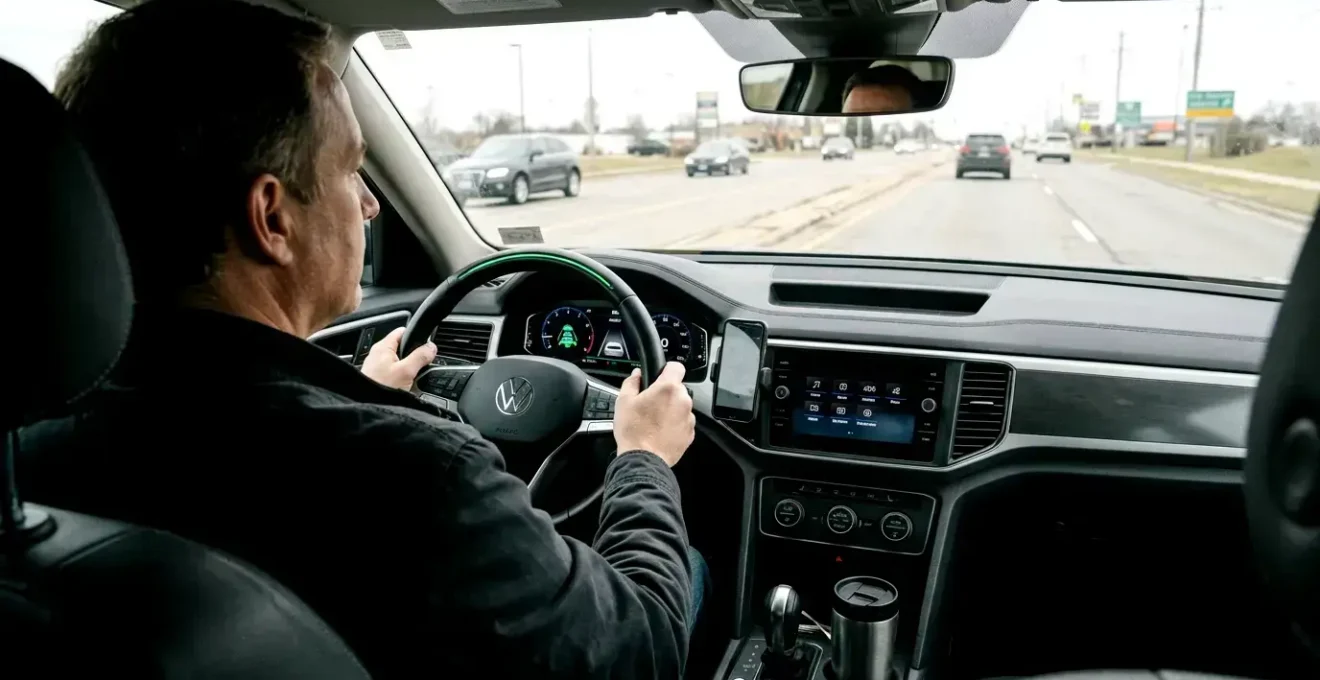
Automotive technology makes everyday driving easier when it reduces effort, improves awareness, or solves recurring problems without introducing new distractions. Effective parking assistance, dependable navigation, intuitive controls, and reliable device charging can deliver more practical value than an impressive collection of connected features.
The difficulty is distinguishing genuine convenience from complexity disguised as innovation. A touchscreen may look sophisticated but make basic adjustments awkward. A connected service may work perfectly during a test drive yet disappear years later. An advanced driver assistance system may reduce fatigue on suitable roads while requiring more supervision than its name suggests.
The right assessment therefore extends beyond specifications and showroom demonstrations. Drivers should consider how frequently they will use a feature, what happens when it fails, how much attention it requires, and whether its benefits justify future subscription or repair costs. These practical criteria provide a stronger basis for choosing technology than the number of features advertised.
Which automotive technologies deliver real daily value?
- Prioritize dependable assistance: parking aids, clear navigation, and well-calibrated driver assistance can reduce workload when their limitations are understood.
- Evaluate usability before sophistication: accessible physical controls, reliable phone integration, and adequate charging power often matter more than large displays.
- Consider long-term ownership: connectivity support, software updates, subscriptions, and replacement costs determine whether today’s convenience remains useful.
- Why Can Connected Car Features Stop Working After a Few Years?
- How to Test Driver Assistance Features Without Overestimating Their Abilities?
- Digital Mirrors or Conventional Mirrors: Which Work Better in Daily Traffic?
- Why Overreliance on Touchscreens Can Become a Driving Safety Problem
- How to Reduce Connectivity Problems in a Software-Heavy Car
- How to Check USB-C Power Delivery Support in Your Car?
- Parking Sensors or Rear Cross-Traffic Alert: Which Detects More Hazards?
- Is Integrated GPS Still Useful When Smartphones Offer Navigation?
Why Can Connected Car Features Stop Working After a Few Years?
Connected car features can stop working because their operation depends on infrastructure outside the vehicle. Mobile network retirement, discontinued cloud services, expired subscriptions, and withdrawn third-party integrations can disable functions even when the car’s hardware remains functional. The most durable automotive technologies are those that continue providing useful functionality without permanent dependence on external services.
A connected vehicle typically communicates through an embedded cellular modem, manufacturer-operated servers, and sometimes external service providers. Each connection represents a potential point of failure. When a telecom operator retires an older mobile network, compatible hardware may no longer establish a connection, regardless of the vehicle’s mechanical condition.
This is already a documented ownership issue. According to Volvo‘s support information on the 2G and 3G phase-out, affected vehicles can lose connected services or require software upgrades, depending on their model year and installed system. Potentially affected functions include remote locking, climate control, vehicle statistics, and certain emergency notifications. The affected model-year ranges are specific to Volvo, not an industry-wide rule.
Real-world example: Volvo’s connectivity transition
Volvo identifies different consequences for vehicles without Google built-in. Certain 2017–2024 model-year vehicles may require software upgrades or lose services, while affected vehicles from model year 2016 or earlier will lose connected functionality as older networks are retired.
The example demonstrates that a functioning vehicle can outlast the external infrastructure supporting its digital conveniences. Actual consequences depend on the vehicle configuration and the retirement timetable in its country.
The distinction between graceful degradation and complete failure is especially important. A navigation system with stored offline maps may continue guiding the driver without live traffic. Conversely, smartphone-based remote unlocking that requires communication with the manufacturer’s server may become unavailable altogether.
Before buying, request written answers to three questions: How long is software support guaranteed or publicly committed? Which functions depend on paid or third-party services? Can the installed modem be upgraded if its supported network disappears? A manufacturer that provides no defined support period should not be assumed to offer indefinite compatibility.
Connectivity also creates a potential resale concern. A prospective used-car buyer may inspect app pairing and remote functions alongside conventional equipment. Features that no longer operate can weaken the vehicle’s appeal, although their precise effect on resale price depends on the market and vehicle.
The most valuable innovations retain a practical fallback when their connected components fail. The same principle applies to driver assistance: a feature deserves trust only within the conditions it can reliably handle.
How to Test Driver Assistance Features Without Overestimating Their Abilities?
Driver assistance features should be evaluated through their documented operating limits, predictable behavior, and the driver’s ability to supervise them. Begin with stationary demonstrations and low-speed familiarization in a safe, controlled area, then assess road-dependent functions only under their intended operating conditions. Never deliberately provoke a potential collision to test whether a system will intervene.
Driver assistance is not synonymous with autonomous driving. The NHTSA‘s overview of driver assistance technologies explains that Level 1 systems assist with either steering or speed control, while Level 2 systems can provide both simultaneously. At these levels, the driver remains responsible for monitoring traffic and controlling the vehicle.
A feature described as hands-free does not automatically eliminate the requirement for attentive supervision. The system’s actual operating conditions, driver-monitoring requirements, and takeover procedures matter more than its marketing name.
Begin the evaluation before moving the car. Read the owner’s manual sections covering operating speed, compatible road types, weather restrictions, warning messages, and disengagement behavior. These limitations define the operating envelope in which assistance is intended to function.
An empty parking lot can help drivers become familiar with controls, activation indicators, alerts, and manual override behavior. However, lane-centering and adaptive cruise control commonly require road markings or speeds that an empty parking lot cannot provide. Their effectiveness cannot be established by driving slowly between parking-space lines.
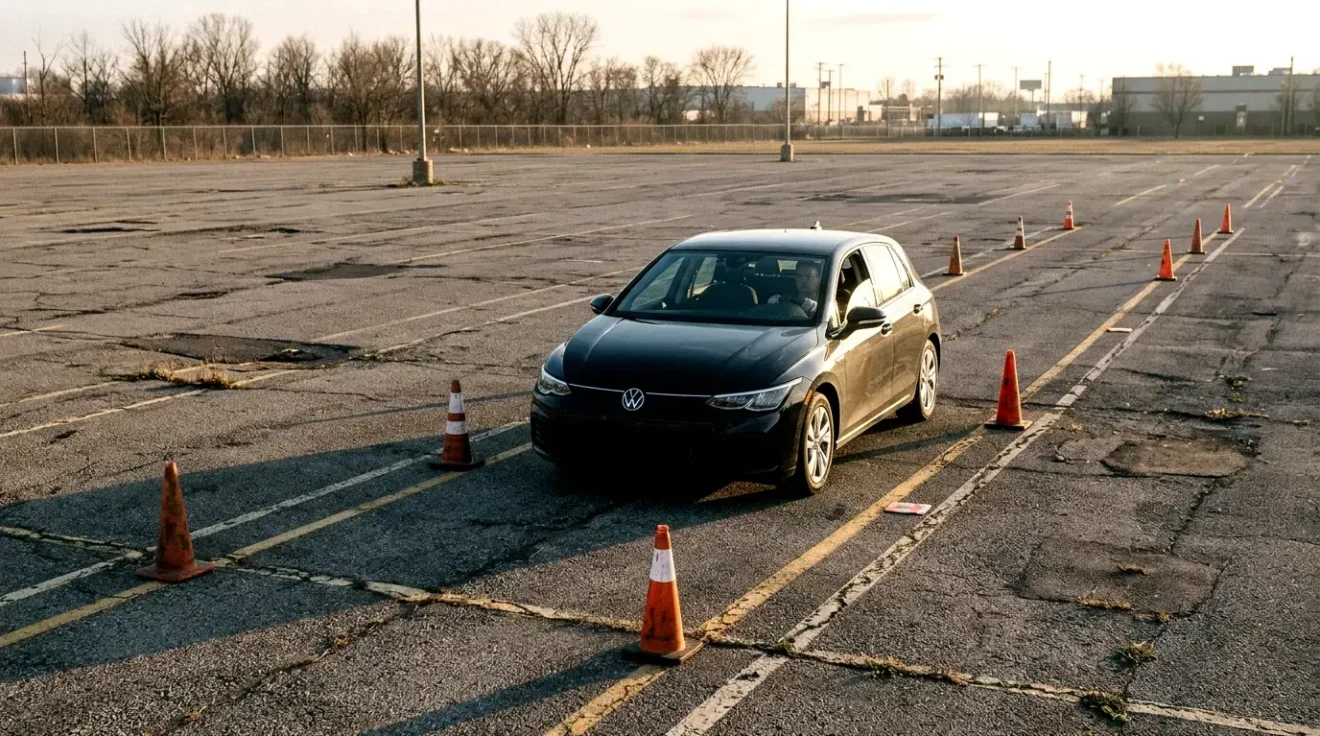
When evaluating assistance on a suitable public road, use normal driving rather than manufactured hazards. Observe whether lane-centering remains consistent on clearly marked roads, whether adaptive cruise adjusts smoothly to ordinary traffic changes, and how clearly the vehicle communicates its status. Maintain full attention, appropriate following distance, and immediate readiness to intervene.
Worn road markings, low sun, adverse weather, and stationary obstacles should be treated as documented or potentially relevant limitations, not situations to reproduce deliberately. A system that performs well in ideal conditions may behave differently when cameras or radar encounter challenging circumstances.
A five-step driver assistance evaluation checklist
- Identify the installed systems: create a written list of the vehicle’s actual assistance features rather than relying on a package name.
- Document operating limits: record the permitted speeds, road conditions, supervision requirements, and restrictions stated in the owner’s manual.
- Learn activation and override: identify the controls, warnings, and disengagement method while stationary or in an appropriate controlled setting; produce a short operating note.
- Observe normal-road performance: during a suitable supervised drive, note ordinary warnings, unexpected disengagements, and occasions requiring manual correction.
- Record a purchase verdict: classify each feature as useful, conditionally useful, or unnecessary for the routes driven most often, with one practical reason for each rating.
Repeated surprise takeovers, late-feeling interventions, or unexplained warnings are reasons to reduce reliance and investigate the system’s condition. They are not invitations to repeat the same event until the system reacts differently.
A valuable assistance system reduces workload while preserving the driver’s awareness and authority. That requirement also matters when choosing technologies that replace familiar ways of seeing the road.
Digital Mirrors or Conventional Mirrors: Which Work Better in Daily Traffic?
Conventional mirrors remain a dependable everyday choice because they provide direct optical reflections without screens, image processing, or electrical power. Digital mirrors can offer wider viewing angles and potentially better visibility around certain obstructions, but their practical value depends on display quality, camera placement, lighting conditions, and the driver’s ability to judge distances confidently.
Traditional mirrors rely on reflected light. Their limitations include blind spots, glare, dirt, and restricted visibility caused by vehicle design. Digital camera-monitor systems replace or supplement that view with images captured by cameras and displayed on interior screens.
The possible advantage is a broader field of view. Camera positioning may reveal traffic that is difficult to observe through a conventional mirror, while image processing can adjust the displayed picture under some lighting conditions. However, performance varies between implementations and should not be assumed from the presence of cameras alone.
Digital systems introduce different compromises. Image latency, screen brightness, reflections, camera contamination, and reduced image quality in rain or low light can all influence how comfortably a driver interprets the scene. Some users also need time to adapt to distance perception on a flat display rather than a reflective surface.
For daily use, the comparison should reflect actual driving conditions rather than showroom appearance.
| Evaluation criterion | Digital mirrors | Conventional mirrors |
|---|---|---|
| Field of view | Can provide wider coverage depending on camera placement | Limited by mirror geometry and positioning |
| Night driving | Depends on camera sensitivity, processing, and screen brightness | Direct optical image, with glare management depending on mirror design |
| Rain and dirt | Camera lens obstruction can reduce visibility | Water and dirt can obstruct the reflective surface |
| Distance judgment | May require adaptation to display perspective | Generally familiar to experienced drivers |
| Electrical dependence | Requires functional cameras, displays, and power | Basic reflective operation remains available without power |
| Replacement considerations | May require proprietary components and calibration | Usually avoids camera-display calibration, though powered equipment can add cost |
Driving profiles change the decision. Frequent city drivers may appreciate additional visual coverage near cyclists and adjacent traffic, provided the camera view is clear and intuitive. Drivers who regularly travel at night should compare glare management and low-light visibility directly. For long-distance highway use, comfortable glance behavior and trustworthy distance perception are particularly important.
Shared family vehicles present another consideration: several drivers may need to learn the same display layout and interpret its perspective. A system that feels natural to one person may be distracting to another.
Ownership costs also deserve scrutiny. Both conventional mirror housings and camera units can be damaged by car washes, impacts, or vandalism. A digital replacement may additionally require specialized components or calibration, depending on the vehicle.
The preferable mirror is the one that provides a clear, quickly understood view in the conditions the driver actually encounters. Similar attention to glance behavior becomes even more important when essential vehicle controls move onto screens.
Why Overreliance on Touchscreens Can Become a Driving Safety Problem
Overreliance on touchscreens can increase driving distraction because many digital controls require visual confirmation and menu navigation. Unlike familiar physical switches, screen-based buttons often lack tactile landmarks, making it harder to operate them by feel. The resulting visual and cognitive demand can become a safety concern when essential functions require repeated attention away from the road.
Consider adjusting the cabin temperature. A physical dial can often be located and operated through familiarity and touch. A touchscreen may require locating a menu, identifying the correct digital control, and checking whether the adjustment registered. The interface design determines how demanding that task becomes.
The potential consequence is substantial even during brief glances. At a highway speed of approximately 100 km/h (62 mph), a vehicle travels roughly 56 metres (183 feet) in two seconds. That distance illustrates why unnecessary visual interaction matters, although it does not establish a universal safe or unsafe glance duration.
29 out of 40
Infotainment systems generated high or very high driver demand in AAA and University of Utah evaluations of vehicles from the 2017 and 2018 model years. The research included touch, voice, and other interfaces; it does not measure all current systems.
These findings highlight an important distinction: distraction is not exclusive to touchscreens. Complicated voice systems and poorly designed physical controllers can also impose significant demands. The most useful comparison concerns the effort required to complete frequent tasks, not simply whether a vehicle has buttons or a screen.
During a vehicle inspection, park safely and attempt three common actions: change the climate setting, mute the audio, and activate the windshield demister or defroster. Note which controls can be identified by touch and which require opening menus. Repeat the exercise with different household drivers if the vehicle will be shared.
Wipers, defrosting, hazard warnings, and other time-sensitive functions deserve particular attention. Controls that are always available and easy to locate can be more useful than interfaces that prioritize visual minimalism. Safety assessment organizations and manufacturers have increasingly discussed the value of accessible physical controls, although individual designs still need direct evaluation.
Software introduces a further complication. An update can rearrange menus or change familiar interactions, requiring drivers to relearn functions they previously operated automatically. That possibility makes interface consistency part of long-term usability.
The best interface is not necessarily the one with the fewest buttons. It is the one that allows essential tasks to be completed with minimal visual and mental effort, while the car’s underlying software remains dependable.
How to Reduce Connectivity Problems in a Software-Heavy Car
Connectivity problems are easier to resolve when the failed connection is identified before settings are changed. Most everyday complaints involve one of three layers: the vehicle’s embedded modem, the smartphone-to-car connection, or the manufacturer’s online services. Separating these systems prevents unnecessary troubleshooting and helps distinguish a temporary software problem from a subscription or network issue.
The first step is to identify exactly what stopped working. If the manufacturer’s remote vehicle app cannot reach the car, but local infotainment functions still operate, investigate the embedded connection and account status. If wireless Apple CarPlay or Android Auto disconnects while the car’s native services work normally, the phone connection is a more likely starting point.
When several connected features fail at once, the problem could involve the vehicle modem, cellular coverage, or a shared backend dependency. A manufacturer server outage can make remote services unavailable without any defect in the vehicle.
A practical diagnostic sequence helps isolate these possibilities:
- Check account access: confirm the manufacturer account remains signed in, any required subscription is active, and the vehicle is correctly associated with the account.
- Compare connections: determine whether the problem affects native vehicle services, smartphone projection, or both.
- Check the environment: note whether failures occur in a particular location, underground parking area, or recurring mobile coverage gap.
- Restart supported components: follow the manufacturer’s procedure for restarting the infotainment head unit or reconnecting the phone. Switching off a display does not necessarily reboot the underlying system.
- Review software status: check for relevant vehicle, infotainment, and smartphone updates, then follow the documented installation procedure.
Over-the-air updates can repair connectivity defects, but they may also temporarily make functions unavailable during installation or introduce unexpected behavior afterward. Drivers should review update instructions, park in an appropriate location, and meet the manufacturer’s power and connectivity requirements.
For vehicles supporting Wi-Fi updates, a stable home connection can be useful. Overnight installation is appropriate only when the manufacturer permits unattended updating and all stated conditions are satisfied. An interrupted or failed installation may require professional assistance rather than repeated improvised resets.
Persistent modem registration failures, unexplained account pairing problems, or recurring faults after approved updates may warrant dealership diagnostics. A technician may need manufacturer-specific tools to inspect communication modules or restore registration.
Documenting the issue makes that visit more productive. Record the date, location, affected feature, software version where available, and any warning displayed. Avoid including passwords or sensitive account information in the record.
Reliable connectivity should operate quietly in the background. If it requires constant intervention, even a sophisticated connected feature can become less useful than a simpler alternative—especially when that complexity extends to basic device charging.
How to Check USB-C Power Delivery Support in Your Car?
To check whether a car’s USB-C port supports Power Delivery, examine the vehicle’s port specifications and, when necessary, measure actual charging performance with a compatible USB-C power meter. Connector shape alone does not guarantee fast charging. A USB-C socket may provide data communication, basic charging, or negotiated USB Power Delivery at different power levels.
USB Power Delivery allows a compatible charger and connected device to negotiate electrical power. The USB-IF‘s USB Power Delivery technical overview explains that the standard supports flexible power delivery alongside data transmission. USB PD Revision 3.1 expanded the specification’s maximum supported power to 240 watts, but that is a technical ceiling, not a typical or guaranteed output for automotive ports.
Start with the owner’s manual. Look for the USB port’s stated wattage, charging capabilities, and any distinction between data and charging sockets. A port designated for phone integration may have a different purpose and output from one intended primarily for charging.
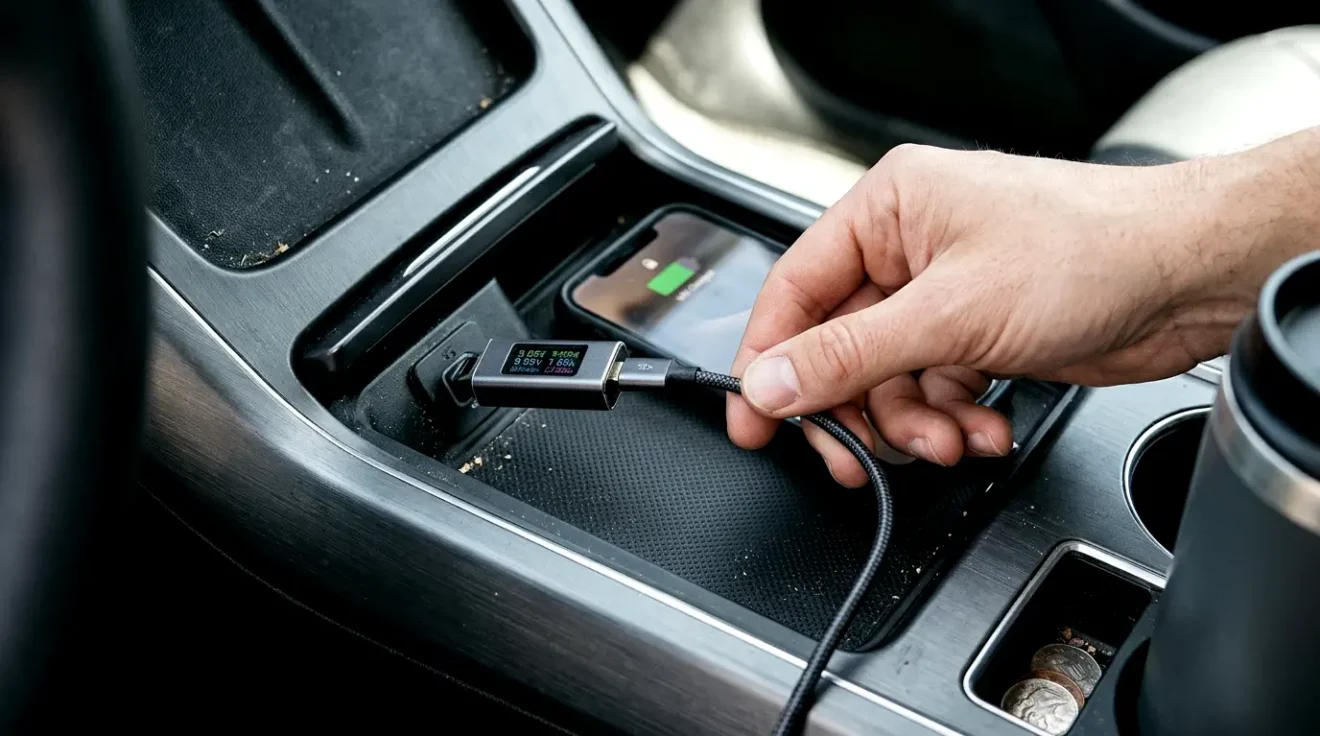
A compatible inline power meter can show the voltage and current actually being supplied. Test with a device and cable known to support the desired charging mode, and compare the readings with the vehicle’s published rating. Charging power varies with battery state, temperature, and device management, so a single measurement does not necessarily reveal the port’s maximum capability.
A phone displaying a fast-charging indicator provides a useful initial clue, but that label alone cannot confirm the exact wattage or the negotiated USB PD profile.
Also consider how the port is used. Some vehicles provide wired phone projection through a data-capable USB connection. That connection may offer less charging power than a separate, higher-output charging socket, depending on the vehicle design. Data transfer itself does not universally mean charging power is divided or reduced.
If the integrated port cannot meet the needs of a tablet, laptop, or heavily used navigation phone, a compatible USB PD car charger connected to the vehicle’s 12-volt accessory socket may be an alternative. Check the charger’s certification and output, the device’s requirements, and the vehicle socket’s permitted electrical load.
The practical goal is not the highest advertised wattage. It is enough reliable charging capacity for the devices used on regular journeys, without unnecessary adapters or complicated connections.
Parking Sensors or Rear Cross-Traffic Alert: Which Detects More Hazards?
Parking sensors and rear cross-traffic alert detect different types of hazards, so neither is universally better. Parking sensors primarily identify nearby obstacles around the vehicle at low speeds, while rear cross-traffic alert monitors approaching traffic from the sides when reversing. Used together, they provide complementary information, but neither can replace direct observation.
Most conventional parking sensors use ultrasonic signals to estimate the distance to nearby objects. Their short-range warnings are particularly useful for judging clearance around bumpers during manoeuvres. Coverage varies by sensor placement, and a vehicle equipped only with rear sensors cannot be assumed to detect obstacles at the front or sides.
Rear cross-traffic alert commonly uses radar sensors positioned toward the rear corners. Its purpose is to warn about approaching cross traffic that may be difficult to see when reversing out of a parking space. The technology is especially relevant where adjacent parked vehicles obscure the driver’s view.
The two systems therefore answer different questions: How close is an obstacle? and Is traffic approaching from the side?
| Everyday situation | Parking sensors | Rear cross-traffic alert |
|---|---|---|
| Parallel parking beside a kerb or another vehicle | Useful for nearby bumper clearance within sensor coverage | Limited relevance unless approaching cross traffic enters the detection area |
| Reversing from a supermarket space | Warn about nearby obstacles behind the vehicle | Can warn about vehicles approaching from either side |
| Backing toward a low wall | May provide distance warnings if the wall is detectable | Generally not intended to detect a stationary wall |
| Reversing with visibility blocked by parked cars | Detect nearby objects within their sensing area | Can help identify approaching traffic, subject to sensor visibility and system limits |
Ultrasonic sensors can struggle with narrow posts, irregular surfaces, low obstacles, or objects that poorly reflect their signals. Dirt, snow, water, and environmental interference can also affect operation or trigger warnings. Their performance should never be assumed to cover every pedestrian or small object.
Cross-traffic systems face different limitations. Parked vehicles and other obstructions can restrict radar coverage, while detection of cyclists, pedestrians, or unusually slow-moving objects depends on the specific system. Some vehicles combine cross-traffic warnings with automatic rear braking, but that capability must be verified separately.
During a test drive, compare the alert location, sound, clarity, and ease of interpretation while performing ordinary parking manoeuvres. Do not arrange near-collision tests or assume that silence from the system means the path is clear.
Human behavior remains decisive. Repeatedly relying on warning sounds can encourage drivers to neglect mirrors, shoulder checks, and direct observation. A rear camera improves visibility but also has blind spots and cannot establish that every area around the vehicle is safe.
For drivers frequently reversing from obstructed spaces, both systems may justify their cost. For straightforward parking in predictable surroundings, well-positioned sensors and good visibility may already provide much of the practical benefit.
Key takeaways before choosing your navigation system
- Check whether the vehicle can provide usable route guidance independently of a connected smartphone.
- Separate essential navigation from premium traffic services and map-update subscriptions that may expire.
- Evaluate navigation reliability during actual household journeys, not merely the appearance of the dashboard map.
Is Integrated GPS Still Useful When Smartphones Offer Navigation?
Integrated GPS remains useful as a dependable navigation option that does not require a connected smartphone, although its capabilities vary by vehicle. A built-in system with stored maps can provide guidance without cellular coverage, while smartphone navigation often offers convenient map updates and live routing information. For many drivers, using both provides greater flexibility than relying exclusively on either.
The key distinction is between satellite positioning and the information needed to calculate routes. GPS positioning itself does not require a mobile data connection, whether it is used by the vehicle or a smartphone. However, map downloads, live traffic information, destination searches, and certain route calculations may require connectivity.
An integrated system with locally stored map data can therefore remain useful when cellular reception is unavailable. Depending on the vehicle, it may also integrate with the instrument cluster, steering-wheel controls, or head-up display. Some systems can use vehicle motion information to help maintain positioning when satellite reception is temporarily poor.
Smartphone navigation offers different advantages. Familiar apps, convenient destination sharing, frequently refreshed information, and real-time traffic routing make it attractive for everyday commuting. Its actual performance depends on the app, available offline maps, and network conditions.
The weakness of a phone-only setup is the additional dependency chain. A low battery, overheating handset, faulty cable, unstable wireless projection connection, or unavailable mobile data can interrupt the intended experience. Downloaded offline maps reduce some of these risks, but they may not provide every connected feature.
Built-in navigation has its own ownership considerations. Map updates may be included for a limited period, require manual installation, or depend on a paid connected-services package. If a manufacturer discontinues support, stored navigation may remain functional while live traffic, online destinations, or newer map data become unavailable.
A practical approach is to retain integrated navigation as a fallback when it is available and reliable, while using smartphone navigation for routes where current traffic information and frequent updates matter most.
To decide whether integrated GPS deserves an additional purchase cost, observe actual use over several weeks. Record which system household members choose, how often either fails to connect, whether map information is adequate, and whether switching between systems creates unnecessary distractions.
For a vehicle purchased without built-in navigation, smartphone guidance with downloaded offline maps, reliable charging, and a secure display connection may be entirely sufficient. An integrated system should not be purchased solely because it appears more technologically complete.
Before paying for another technology package, test the complete daily journey: entering a destination, following guidance, changing routes, charging the phone, and recovering from a connection failure. Choose the setup that performs these ordinary tasks most reliably, and leave features that add complexity without clear benefit off the options list.
Which car technologies should budget-conscious drivers prioritize?
Prioritize features that solve frequent problems: reliable parking visibility, intuitive climate and audio controls, dependable navigation, and sufficient charging power. Driver assistance can also be worthwhile when it performs consistently on regular routes. Compare actual daily benefits with upfront prices, subscriptions, repair exposure, and ease of operation rather than purchasing the largest available technology package.
Can essential vehicle functions work without an internet connection?
Many locally operated functions can work without internet access, including conventional controls, parking sensors, and supported offline navigation. Remote app functions and connected traffic services may require cellular networks and external servers. The distinction depends on the vehicle’s architecture, so owners should verify which features remain functional offline.
Are software-heavy cars necessarily less reliable than conventional cars?
Not necessarily. Software can improve functionality and allow defects to be corrected without replacing hardware. However, greater dependence on software, servers, and subscriptions introduces additional potential failure points. Overall reliability depends on the quality of the implementation, manufacturer support, maintenance, and the availability of fallback functions. The number of screens or connected features alone cannot establish reliability.
What should used-car buyers check before paying extra for technology packages?
Check that advertised features are installed, activated, and functioning. Verify the software version, connected-service eligibility, remaining subscription periods, navigation updates, charging-port capability, and any outstanding warning messages. Ask whether required accounts and services can be transferred to the new owner. A working demonstration and documented support status are more valuable than an equipment list alone.
Is a simpler car interface a disadvantage when new features arrive?
No. An interface with accessible physical controls and limited digital complexity may remain easier to use even as newer software features appear. What matters is whether the driver can operate essential functions safely and whether updates add useful capabilities without disrupting familiar controls. Simplicity and technological usefulness are compatible.