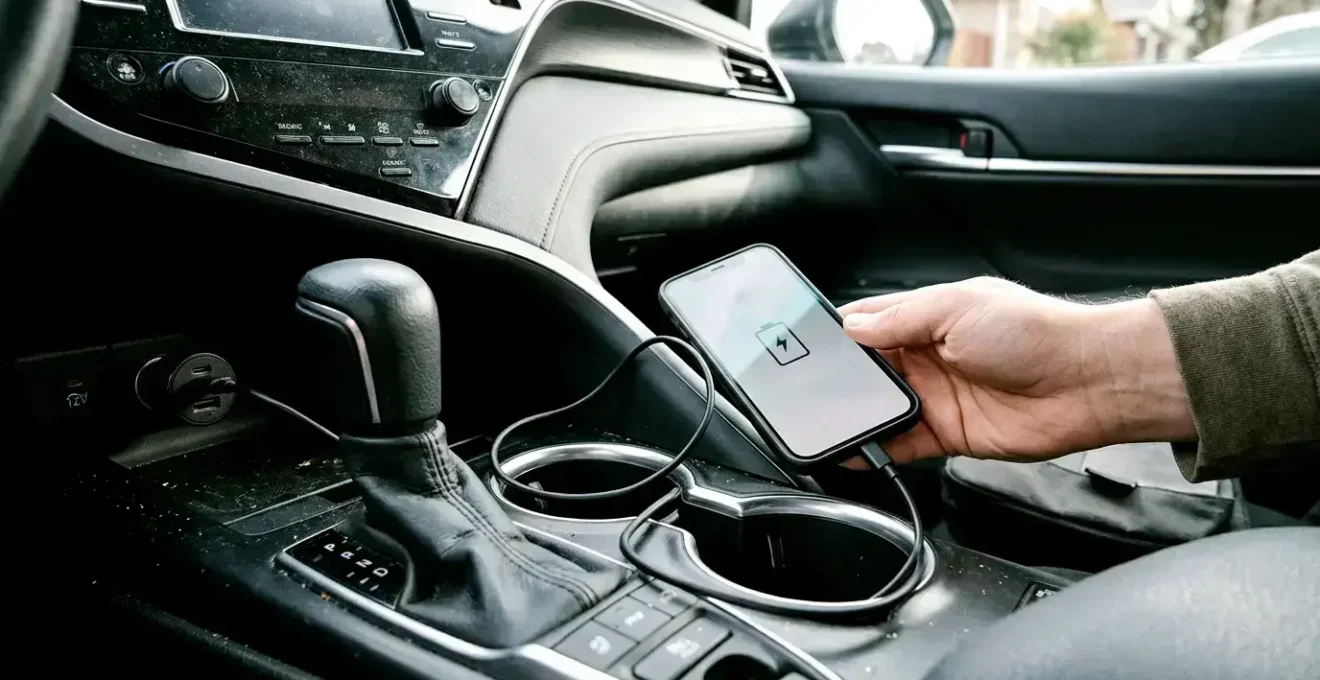
A reliable car USB charger must do more than display an impressive wattage rating. It needs to support the charging requirements of your phone or tablet, operate within the vehicle’s electrical limits and maintain a stable connection throughout the journey.
The safest choice starts with three checks: the charging protocols supported by your devices, the individual and combined output ratings of the charger, and the electrical capacity of the vehicle’s USB or 12V accessory outlet. A properly designed USB charger does not continuously force its maximum advertised power into a connected phone. Compatible devices regulate their charging demand, while suitable charging equipment supplies power within supported electrical conditions.
However, compatibility alone cannot compensate for damaged cables, loose contacts, overheating or poorly manufactured electronics. Whether you need one phone for navigation or several charging points for passengers, choosing the right configuration means balancing charging performance, connection reliability and electrical safety.
Car USB charging: the essentials
- Check compatibility first: USB-C does not automatically mean USB Power Delivery, and a high wattage rating does not guarantee fast charging.
- Calculate the complete power budget: compare device requirements, individual USB outputs, shared charger capacity and the vehicle’s accessory socket rating.
- Prioritise reliable hardware: choose documented electrical protections, compatible cables and secure connections, and stop using equipment that shows signs of overheating.
- Why Does Your Phone Charge Slowly Through the Car’s USB Socket?
- How to Check USB-C Power Delivery Support in Your Car?
- Built-In USB Port or 12V Charger: Which Delivers More Power?
- Why Cheap Car Chargers Can Overheat During Long Journeys
- How to Fix Intermittent USB Charging in a Moving Car?
- Bluetooth Audio or Android Auto: Which Is Better for Daily Use?
- How to Set Up Rear-Seat Headphones Without Disturbing the Driver?
- What Makes a Modern Car Radio Worth Upgrading?
Why Does Your Phone Charge Slowly Through the Car’s USB Socket?
Your phone may charge slowly through a car’s USB socket because the port supplies limited power, the cable restricts charging performance, or the phone reduces its own charging demand. Navigation, streaming and high temperatures can further affect battery replenishment. Slow charging generally indicates a performance limitation, not necessarily an overloaded or unsafe electrical connection.
The power advertised for a USB outlet represents its supported output under specified conditions, not the power a phone continuously receives. Actual charging depends on the outlet’s voltage and current capabilities, the charging protocol, the cable and the device’s internal charging management.
As the battery approaches full charge, the phone can deliberately reduce charging current. Temperature protection may also limit or temporarily suspend charging. These behaviours should not automatically be interpreted as charger defects.
According to Apple’s explanation of iPhone charging speeds, car USB ports may charge more slowly than dedicated USB-C chargers. Apple also identifies chargers delivering 7.5 W or less as a possible cause of slower charging on supported iPhones. That threshold concerns Apple’s charging guidance, not a universal electrical-safety requirement.
To understand your own charging demand, compare three conditions with the same phone, cable and outlet:
- Phone idle: connect the phone while parked, leave demanding applications inactive and observe whether the battery percentage increases.
- Navigation active: repeat the observation while navigation operates under conditions representative of a normal journey.
- Navigation and music: add audio streaming and compare whether the battery still gains charge, remains approximately stable or declines.
A battery percentage that decreases while plugged in does not necessarily mean charging has stopped. The phone may simply be consuming energy faster than its battery is being replenished. Screen brightness, network conditions and background processing can influence the result.
Two identical-looking USB sockets in one vehicle can also behave differently. One may be intended primarily for infotainment data, while another is designed for device charging. Check the owner’s manual for port functions and output ratings rather than assuming equal performance.
Insufficient available power usually causes slow charging or battery drain during use. By contrast, unusual heating, damaged connectors and unstable electrical operation require separate safety checks.
Once the actual limitation is identified, the next step is to determine whether the vehicle and the phone support a suitable fast-charging protocol.
How to Check USB-C Power Delivery Support in Your Car?
To check whether your car supports USB-C Power Delivery, examine the vehicle’s technical documentation for explicit USB PD support, maximum output power and supported voltage-current combinations. A USB-C connector alone does not establish fast-charging compatibility. Compare the port’s specifications with your phone or tablet’s charging requirements, including any need for Programmable Power Supply.
USB-C describes the connector design, whereas USB Power Delivery is a separate technology for negotiating electrical power. As clarified by USB-IF‘s USB Type-C terminology guidelines, the presence of USB-C must not be treated as proof that USB Power Delivery is implemented.
Begin with the vehicle’s equipment specifications. Look for the maximum output of the exact socket you intend to use, whether USB PD is explicitly supported and which voltage-current combinations are available. If the manual gives no protocol information, compatibility remains unconfirmed.
Next, consult the phone or tablet manufacturer’s charging documentation. Determine whether the device supports standard USB PD, requires PPS for its preferred charging mode or relies on another proprietary charging technology.
Matching headline wattage is insufficient when the charger’s supported profiles do not match the device’s requirements. For example, a phone that relies on a particular PPS operating range may charge below its preferred fast-charging performance when connected to an adapter without that capability.
A controlled measurement can help verify actual operation. With the vehicle safely parked, connect a compatible USB-C power meter between the charging outlet and the device using suitable cables. The meter must support the protocol and electrical conditions being assessed, without interfering with negotiation.
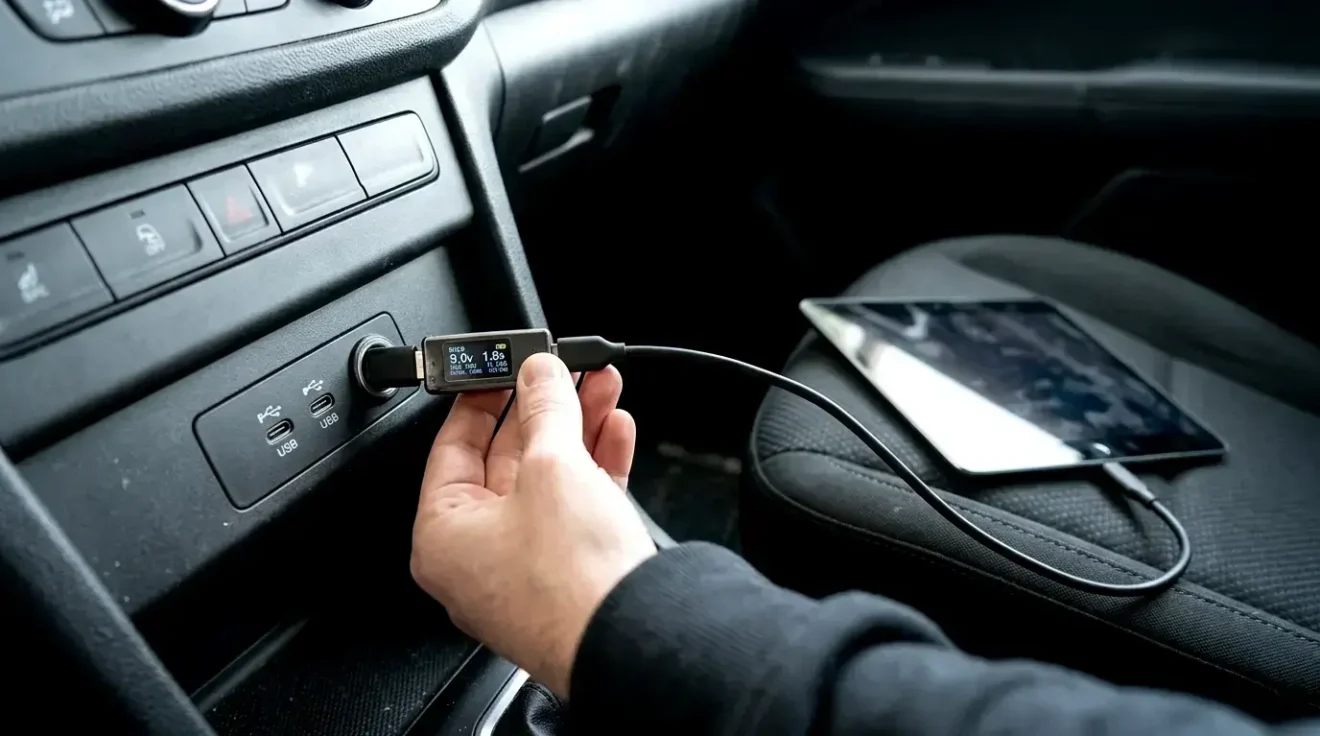
The observed voltage and current indicate conditions at the time of measurement. They do not prove the port’s maximum capacity, because the connected device may be limiting demand according to battery level, temperature or its charging algorithm. Where supported, a suitable tester may also provide information about advertised power profiles.
USB PD negotiation allows compatible equipment to agree on supported charging conditions instead of indiscriminately applying the charger’s highest output. Nevertheless, protocol negotiation does not replace reliable circuitry, electrical fault protection or correctly rated cables.
With the protocol requirements established, the next decision is whether the factory USB outlet or a separate accessory charger offers the most suitable connection.
Built-In USB Port or 12V Charger: Which Delivers More Power?
A dedicated USB charger connected to a vehicle’s 12V accessory socket can deliver more charging power than a built-in USB port, but only when its output specifications and the vehicle’s electrical limits permit. Factory USB ports may provide less power while remaining essential for wired infotainment functions. Neither connection is automatically superior in every vehicle.
The factory USB outlet offers convenience and may support phone data connections, media playback or wired smartphone integration. Its charging capability depends on the vehicle’s specific hardware.
A plug-in 12V charger converts power from the accessory circuit into regulated USB output. Selecting one with a suitable USB PD profile can improve charging performance where the vehicle’s built-in connection is limited.
The distinction becomes particularly important when several devices are connected simultaneously.
| Decision factor | Built-in USB port | 12V USB charger |
|---|---|---|
| Charging output | Determined by the vehicle’s USB module | Determined by the adapter and available vehicle power |
| Fast-charging protocols | Must be verified in vehicle documentation | Can be selected according to documented device compatibility |
| Infotainment data | May support wired phone integration | Usually supplies charging power rather than a head-unit data connection |
| Multiple devices | Depends on installed outlets | Available through appropriately rated multi-port models |
| Electrical limits | Vehicle module’s published output | Adapter ratings and accessory circuit capacity |
For multiple devices, calculate the simultaneous charging requirement rather than adding marketing claims together. Check each port’s individual rating and the charger’s combined output limit.
Hypothetical example: sizing a two-device car charger
Suppose a driver wants to supply 20 W to a compatible phone while a passenger’s tablet requires 30 W. Their combined requested USB output is 50 W, assuming both draw those powers simultaneously.
A charger advertised as 60 W is not necessarily suitable. Its two-port configuration must actually permit the required 20 W and 30 W outputs at the same time, with compatible charging profiles.
If the hypothetical charger operates at 85% conversion efficiency while delivering 50 W, the electrical input would be approximately 58.8 W. This calculated example illustrates conversion losses; it is not a measured efficiency rating or a prediction for a particular product.
Vehicle-side limits require a separate check. The accessory socket’s power rating specifies the electrical capacity available from that outlet under the manufacturer’s stated conditions. It does not guarantee that a connected adapter can deliver the same wattage through USB.
180 W
Maximum 12V accessory outlet capacity documented in a specific Ford owner’s manual entry, corresponding to 15 A at a nominal 12 V. This is an example of a vehicle-specific outlet limit, not a universal rating for passenger cars or a guaranteed USB charger output.
Before purchasing a high-output adapter, inspect your own vehicle’s manual for the relevant socket rating and operating restrictions. Other loads on the circuit, applicable circuit protection and the adapter’s input specifications also matter.
Three configurations meet different needs. A factory USB port may be adequate for one phone. A dedicated USB-C accessory charger may be preferable when fast charging is required. A separate charging connection alongside the original factory data connection may be practical for independent devices or wireless infotainment, but it does not automatically solve the need for simultaneous wired data and charging on one phone.
Also check physical fit, socket accessibility and whether accessory power remains available with the ignition off. Leaving charging equipment connected when the engine is not running can contribute to vehicle battery drain, depending on the installation.
Five checks before buying a car USB charger
- Record each device’s charging requirements. Create a list showing its connector, supported charging protocol and manufacturer-documented preferred charging power.
- Identify the available vehicle outlets. Note their locations, functions, rated output or accessory capacity, and ignition-dependent behaviour using the vehicle manual.
- Verify the charger’s per-port ratings. Save its published output profiles and simultaneous multi-port power allocation table.
- Confirm the vehicle-side power budget. Compare the planned charging configuration and allowance for conversion losses with the relevant accessory circuit limit; document whether the configuration fits.
- Inspect the complete installation. Confirm suitable cables, electrical protections, secure socket fit and safe routing, then record any unresolved compatibility or physical safety concerns.
Once electrical capacity and device compatibility are confirmed, thermal performance becomes the next important consideration, especially during long journeys.
Why Cheap Car Chargers Can Overheat During Long Journeys
Some inexpensive car chargers can overheat because of inefficient electrical conversion, inadequate thermal design, poor-quality components or unreliable socket contacts. Long journeys expose these weaknesses through sustained charging demand and accumulated heat. Price alone does not determine safety: documented protection features, manufacturing quality and the condition of the connection are more meaningful indicators.
A car charger converts the vehicle’s accessory supply into the voltages required by connected USB devices. This process is not perfectly efficient, so some input energy becomes heat. Higher sustained loads can increase the importance of adequate heat dissipation.
Contact quality also matters. A loose or worn connection can create electrical resistance and unwanted local heating. Vibration, repeated insertion and an adapter that does not fit securely may contribute to contact problems.
Some warmth during normal operation is expected, particularly during sustained charging. However, an unusually hot connector, discoloured plastic, deformation, unusual odours or repeated thermal shutdowns should not be dismissed as normal.
There is no single universal external temperature threshold that establishes the safety of every charger in every vehicle. The housing design, measurement location, operating conditions and manufacturer’s specifications all influence appropriate interpretation.
Environmental conditions can make matters worse. Direct sunlight through the windscreen, high cabin temperatures and enclosed storage compartments can restrict cooling or raise the ambient temperature around the adapter. A charger that appears satisfactory during a short trip may experience different thermal conditions under prolonged multi-device use.
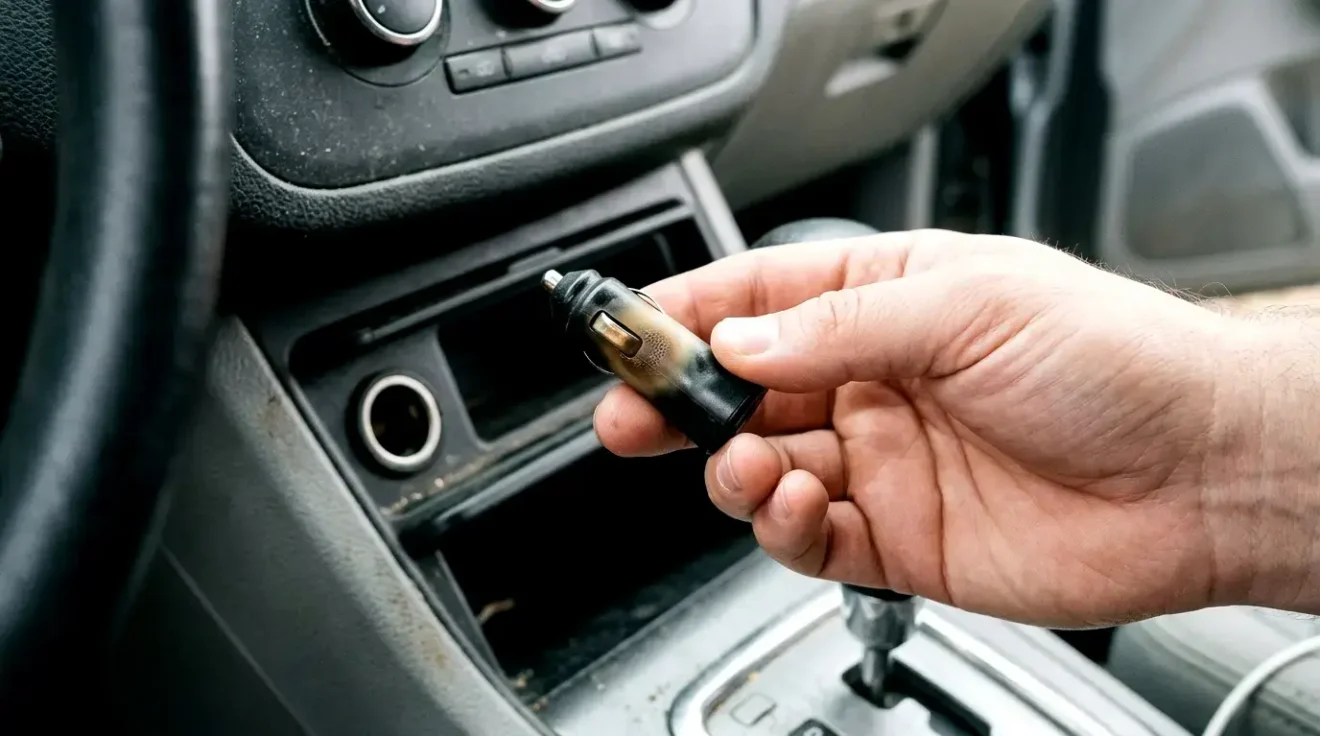
When evaluating a charger, look for clearly published electrical input and output ratings, supported USB protocols and descriptions of overcurrent, overvoltage, short-circuit and thermal protection. A manufacturer that provides identifiable product documentation and a traceable support channel gives buyers more information to assess than one relying exclusively on promotional wattage claims.
Certification marks require scrutiny. USB terminology, unsupported compliance claims and decorative logos do not independently prove that a particular charger has passed relevant testing. Where certification is claimed, check that it applies to the actual product and the relevant certification programme.
Electrical Safety First‘s USB charger safety advice recommends purchasing from reputable retailers, avoiding excessive heat exposure and inspecting charging equipment for physical damage, scorch marks and other warning signs. Its general USB safety guidance is useful here, although some recommendations on that page specifically concern mains-powered chargers.
If overheating is suspected, stop using the charger as soon as it is safe to do so. Park the vehicle, disconnect equipment without touching dangerously hot or damaged parts, and allow components to cool before inspection. Examine the adapter and vehicle socket for deterioration.
Do not reuse visibly heat-damaged equipment. If the socket itself is damaged, or abnormal heating recurs with different suitable adapters, arrange professional inspection. Automatic power reduction can be a normal protective response, but repeated excessive heating is not a reason to keep testing a deteriorating connection.
Thermal reliability depends on both the electronics and the physical connection, which is why intermittent charging deserves attention even when no visible damage is present.
How to Fix Intermittent USB Charging in a Moving Car?
Intermittent car USB charging is commonly investigated by checking the cable, connectors, phone and charging outlet separately. Vehicle vibration can reveal loose contacts or damaged leads, while charging interruptions may also involve power supply changes or infotainment software. Perform all checks while safely parked and use known-good equipment to isolate the fault before replacing components.
Begin with the simplest comparison. Connect the phone using a known-good, compatible cable, then try another suitable charging port. If the problem persists, test a second compatible device.
Observe whether the interruption follows the original cable, remains with one phone or occurs only through a particular vehicle connection. This approach helps avoid replacing a charger when the underlying problem lies elsewhere.
- Check cable condition: look for damaged insulation, bent connectors, strained cable ends and plugs that fail to seat properly.
- Compare compatible devices: determine whether interruptions are specific to one phone or reproducible with another device.
- Change the charging connection: compare an alternative vehicle USB outlet or suitable accessory adapter.
- Observe the failure pattern: note whether power loss occurs with movement, engine starting, automatic stop-start events or infotainment reconnection.
- Escalate persistent vehicle-side faults: arrange inspection if multiple known-good devices and cables fail on the same outlet.
Loose mechanical contacts deserve particular attention. Vibration can expose wear in USB connectors or accessory socket contacts. Charging cables stretched around the gear selector or across frequently used storage compartments may also experience repeated mechanical stress.
Inspect connection fit with the vehicle stationary. Avoid forcing connectors, inserting metal objects into electrical outlets or adjusting charging equipment while driving. Persistent looseness can produce both intermittent electrical contact and local heating.
It is also important to distinguish USB power loss from USB data disconnection. A phone may continue charging while Android Auto disconnects because the data connection is interrupted. Conversely, charging can stop without an obvious change to the infotainment display.
These symptoms point toward different diagnostic paths. A data-only problem may involve the compatible USB data port, cable capability or software. Repeated power interruptions suggest examining electrical contacts, the outlet or the charging equipment.
Engine starting and stop-start operation can expose charging equipment to changing vehicle supply conditions. Automotive adapters should be selected for the input voltage range and electrical environment documented by their manufacturer. A repeated failure affecting several known-good devices may indicate a problem with the vehicle’s accessory circuit or USB module.
Avoid assuming that every interruption proves alternator failure, a defective vehicle battery or an overloaded circuit. Those conclusions require separate evidence and appropriate electrical testing.
Once charging remains stable, consider whether the vehicle’s audio connection is introducing additional power demands or limiting access to the most suitable charging port.
Bluetooth Audio or Android Auto: Which Is Better for Daily Use?
Bluetooth audio is generally the simpler choice when drivers only need wireless music or calls, while Android Auto offers broader integration of compatible navigation, communication and media functions. The better option also depends on charging requirements: wired Android Auto uses a compatible USB data connection, whereas wireless operation can leave that connection available for separate charging.
With ordinary Bluetooth audio, the phone communicates wirelessly with the vehicle’s sound system. A separate compatible USB charger can supply power without necessarily affecting the audio connection.
Android Auto integrates supported phone applications with a compatible vehicle display and controls. It may operate through a wired USB connection or wirelessly, depending on the vehicle, phone and infotainment equipment.
When Android Auto is wired, the USB connection must support the necessary data functionality. The factory port may not provide the phone’s preferred fast-charging output, even though the infotainment connection works correctly.
Connecting a higher-power 12V adapter does not automatically preserve that wired data session. A conventional charging adapter is not a substitute for the head unit’s supported USB data interface. Improvised USB splitters and unsupported power-injection arrangements should not be assumed reliable or electrically suitable.
Wireless Android Auto can simplify the physical arrangement by allowing a separate charging connection, provided the vehicle supports wireless projection. However, wireless communication, navigation, network activity and background applications may increase phone power consumption relative to simple audio playback.
The relevant question is whether the selected charging connection can maintain the battery level during the driver’s actual journey. A setup that works during short trips may be less satisfactory during extended navigation in a warm cabin.
| Consideration | Bluetooth audio | Android Auto |
|---|---|---|
| Main function | Wireless audio and compatible call functions | Supported navigation, communication and media integration |
| Charging connection | Can generally be selected separately | Depends on wired or wireless operation |
| USB data requirement | Not normally required for Bluetooth playback | Required for wired Android Auto |
| Energy demand | Depends on active phone functions | May increase with navigation and wireless projection |
| Setup complexity | Usually relatively simple | Requires vehicle and phone compatibility |
For straightforward music playback, Bluetooth audio may provide everything necessary while keeping charging independent. For drivers who regularly use navigation and compatible on-screen controls, Android Auto can provide a more integrated experience.
Connection stability and driver distraction matter as much as additional features. Complete pairing, cable installation and charging adjustments before departure, and use supported vehicle controls during the journey.
For vehicles carrying several passengers, audio independence and access to suitable charging points introduce another practical consideration.
How to Set Up Rear-Seat Headphones Without Disturbing the Driver?
To set up rear-seat headphones without disturbing the driver, first confirm that the vehicle supports independent rear audio. Choose headphones compatible with the installed entertainment system, assign the appropriate rear media source and verify that front-seat navigation guidance remains audible. Plan device charging separately and secure cables before departure to avoid passenger obstructions or driver distraction.
Rear-seat audio support varies considerably between vehicles. Some factory entertainment systems provide dedicated headphone outputs, while others use infrared headphones or compatible wireless connections.
A standard vehicle Bluetooth audio connection does not necessarily support independent rear listening. Likewise, ordinary Bluetooth headphones may not work with a vehicle system designed specifically for infrared accessories.
Consult the entertainment system’s documentation before buying headphones or additional powered hardware. Confirm the supported connection method, pairing procedure and whether rear passengers can select their own audio source independently of the front speakers.
With the vehicle parked, complete the setup in a practical sequence: connect or pair the headphones, select the correct rear entertainment source, enable independent audio where supported and verify the front audio settings.
Check that the driver can still hear relevant navigation instructions and that rear entertainment does not unexpectedly take control of the front speakers.
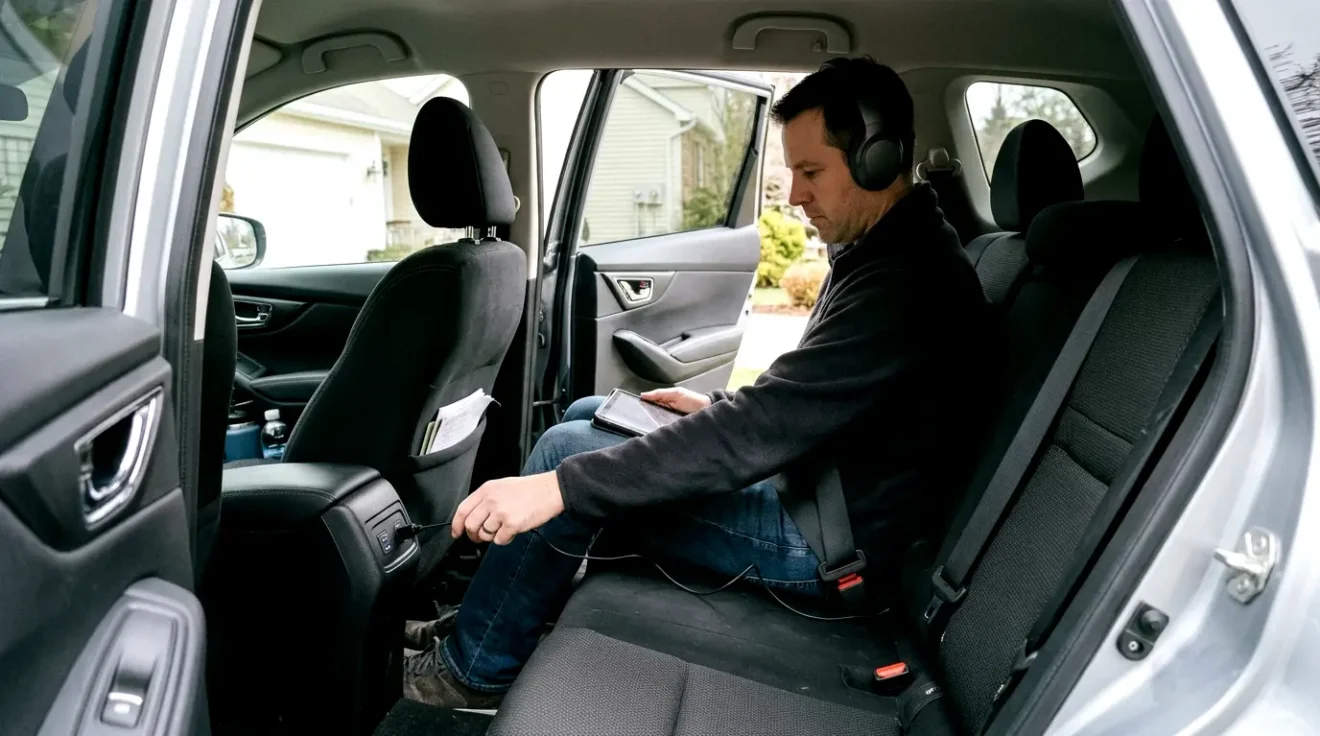
Charging requires a separate inventory. Identify which rear-seat devices are rechargeable, which use replaceable batteries and which require continuous external power. Tablets and media players may have substantially different charging requirements from headphones.
A rear entertainment USB socket should not automatically be considered a high-power charging outlet. Examine its documented function and output before connecting a demanding tablet. If several devices share an accessory charger, apply the previously established per-port and combined output limits.
Secure placement is equally important. Route cables away from seat belt buckles, door openings, footwells and normal passenger movement. Avoid placing loose power banks or heavy devices where they can become projectiles during sudden braking.
Short, appropriately rated charging leads and accessible rear outlets may be more practical than an unnecessarily powerful front-mounted multi-port adapter feeding long cables through the cabin.
If the existing audio system cannot provide the required independence or connectivity, the remaining question is whether replacing the head unit would solve a genuine limitation.
Key takeaways before upgrading your equipment
- A charging problem and an infotainment problem require different solutions; replacing the radio will not necessarily increase available charging power.
- New USB-C sockets and smartphone integration features should be evaluated through documented electrical and data capabilities, not connector appearance.
- Any head-unit upgrade must preserve the vehicle functions that drivers rely on, in addition to supporting suitable and safely installed charging equipment.
What Makes a Modern Car Radio Worth Upgrading?
A modern car radio is worth upgrading when the existing system cannot provide required smartphone connectivity, stable integration or useful entertainment functions that a standalone charger cannot address. Insufficient USB charging power alone rarely justifies replacing the head unit. Before upgrading, verify electrical compatibility, retained vehicle features and the actual charging capabilities of the proposed replacement.
Begin by identifying the specific limitation. If the phone charges too slowly through the factory USB port but works correctly with a compatible 12V charger, the radio may not need replacement.
By contrast, an older system without supported smartphone integration, unreliable USB data connectivity or suitable multimedia functions may present a stronger case for upgrading.
The distinction matters because new multimedia features do not guarantee better charging performance. An aftermarket head unit may support Android Auto while offering only limited USB charging output.
Before purchasing, verify compatibility with the vehicle’s dashboard dimensions, electrical architecture and original equipment. Depending on the vehicle, additional interfaces or installation components may be required.
- Dashboard and mounting: confirm the head unit’s physical fit and installation requirements.
- Wiring and electrical integration: check suitable harnesses, power connections and any vehicle-specific interface modules.
- Steering-wheel controls: verify whether essential controls remain functional.
- Factory audio equipment: establish compatibility with existing amplifiers and speaker arrangements.
- Reversing camera and vehicle settings: confirm whether the replacement retains supported camera functions, original menus and other integrated controls.
A model advertised as compatible with a particular vehicle family may still require additional verification for its exact model year, equipment configuration and market version. Where integration is complex, professional installation may help avoid wiring errors or loss of retained functions.
Examine the new head unit’s charging specifications independently of its multimedia features. Identify the USB output rating for each connector, supported charging protocols and whether the relevant socket handles data, power or both.
Then compare those capabilities with the requirements of the devices already identified. A USB-C port without documented PD support should not be counted as a guaranteed fast-charging upgrade.
A practical purchasing decision can therefore follow three levels of need:
- Keep the current radio when a suitable cable and properly rated USB charger resolve the phone’s charging requirements.
- Add a protected multi-port charging solution when several passengers require power and the vehicle has a suitable accessory circuit.
- Consider a compatible head-unit upgrade when smartphone integration, data connectivity or entertainment limitations remain unresolved after the charging setup is corrected.
None of these choices should depend solely on the largest advertised wattage. Verified protocol compatibility, the vehicle’s electrical restrictions, safe installation and actual daily usage provide a more dependable basis for selecting equipment.
Make the next purchase only after recording your vehicle outlet limits, the devices’ supported charging modes and the required data connections. Choose the least complex configuration that meets those verified needs, then test charging stability and equipment temperature with the vehicle safely parked before relying on it during longer journeys.
Can a 100W USB-C car charger damage a phone that needs less power?
A correctly functioning, compatible USB-C Power Delivery charger does not automatically push 100 W into a phone. The connected equipment negotiates suitable power conditions, and the phone controls its charging demand. However, a high rating does not guarantee product safety. Check the supported profiles, cable ratings, electrical protections and vehicle outlet limits before use.
Can I leave a USB charger plugged into my car overnight?
That depends on whether the accessory outlet remains powered when the vehicle is switched off. Some outlets stop supplying power, while others may remain active and contribute to battery drain. Check the owner’s manual and disconnect unnecessary accessories when parked, especially if the manufacturer advises against extended use with the engine off.
Does a USB-C cable need a particular rating for fast charging?
Yes. The cable must support the electrical current and charging arrangement used by the connected equipment. Different USB-C cables can have different power and data capabilities. Check the cable’s published specifications against the charger and device requirements, particularly for higher-power applications. A cable suitable for charging does not automatically provide every data capability needed for infotainment.
Why does my car charger stop charging when the engine restarts?
Engine starting or stop-start operation can change the electrical conditions at a vehicle accessory connection. Some charging equipment may temporarily interrupt or restart operation under those conditions. Check the adapter’s supported input range and the vehicle’s specifications. If repeated failures affect multiple known-good chargers and devices, have the accessory circuit or USB module inspected.
Is it safe to charge a smartphone and a tablet from the same car adapter?
Yes, provided the adapter supports both devices’ charging protocols, each port offers an appropriate output, the combined load stays within the charger’s rating and the vehicle accessory outlet can supply the required input power. Check simultaneous-use power allocation because connecting the second device may reduce the output available to the first. Secure both cables and avoid using damaged or overheating equipment.